Welcome
Nimble for Foundry VTT is the official implementation of the Nimble 2 tabletop RPG for Foundry Virtual Tabletop. It takes the bookkeeping off your table so you can spend your time playing: the system rolls the dice, tracks the resources, applies the conditions, and keeps everyone's sheets up to date.
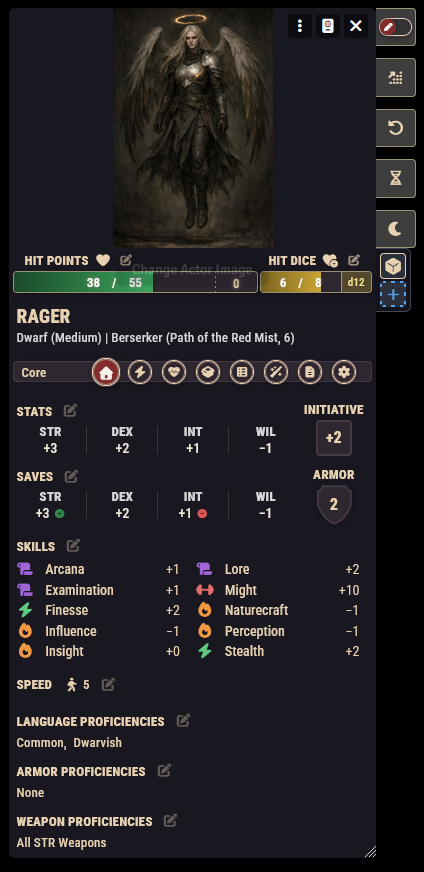
What the system does for you
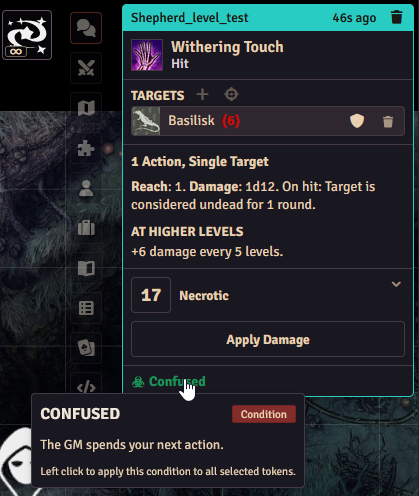
- Rolls, resolved automatically. Attacks, saving throws, skill checks, and spells are rolled with Nimble's dice rules and posted to chat as clear, clickable cards.
- Conditions that manage themselves. Apply a condition from a sheet or a token, and the system handles the rest: linked conditions are added and removed together, immune creatures shrug them off, and items can even apply conditions on a hit for you.
- Resources tracked for you. Mana, charges, and dice pools tick down as you use abilities and refill when they should, so no one has to remember to erase a pip.
- All the content, ready to drag. Classes, subclasses, ancestries, backgrounds, boons, spells, equipment, magic items, and a bestiary of monsters ship with the system as compendium packs. Drag them where they need to go and play.
- A guided character creator and level-up flow. New players are walked through every choice, and leveling up delivers the right features to the sheet automatically.
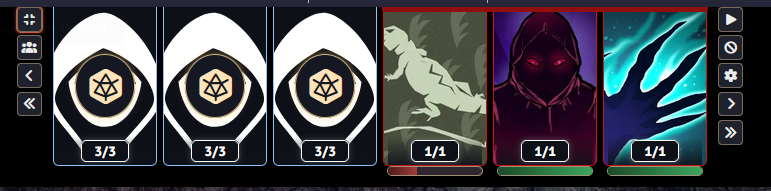
- A combat tracker built for Nimble. Initiative, turns, and minion groups are handled the Nimble way, with a tracker that sits right at the top of your screen.
The system is not a rulebook
This software automates Nimble; it does not teach it or replace it. You will want a copy of the Nimble rulebook at the table for the actual rules, and this documentation will point you there whenever a question is about the game rather than the software.
Officially released rules only
The system implements the officially released Nimble rules, and only those. Playtest material, previews, and other unreleased content will not be added: it is not final, it can change at any time, and the system is built by volunteers who cannot reliably keep up with rules that are still moving.
Once something is officially released, it becomes fair game. In the meantime, the Homebrewing tools and the Rules Builder let you build unreleased content for your own table: items, spells, monsters, classes, and the like.
Unreleased mechanics are a different story. The core of the system (how dice are rolled, how armor works, how conditions behave) is fixed in code and cannot be changed through homebrew features. See What You Can (and Can't) Change for where that line runs.
Where to start
Players: begin with Creating a Character, then skim the pages under Playing the Game: Dice & Chat, Conditions, and Rest & Recovery. That covers everything you touch in a normal session.
GMs: read the player pages too, then continue with the Running the Game section (starting with Combat) and the Homebrewing section, which shows how far you can customize the system without writing any code. The Rules Builder is where that customization gets really interesting.
If you have not installed the system yet, Installation & First Steps walks you through it, and Core Concepts explains the handful of ideas everything else builds on.
Getting help
- Discord: join the community at discord.gg/SxVmHpu34R for quick questions and discussion.
- Bug reports and feature requests: open an issue on GitHub.