Importing & Exporting
Content moves in and out of your world in four ways: characters can be exported and re-imported as JSON files, characters can be printed to a PDF character sheet, and monsters can be imported straight from the Nimble Nexus online library.
Exporting a character (JSON)
Open the character sheet, go to the Settings tab, and press Export Character Sheet (JSON) in the Export section. The browser downloads a single file containing the complete character (stats, class levels, features, spells, inventory, everything on the sheet), named after the character and their classes (for example fvtt-nimble-mira-berserker.json).
Use it for:
- Backups before a risky level-down, a big rebuild, or just as a habit.
- Moving characters between worlds: a finished campaign's heroes can walk into the next one.
- Sharing a build with another table.
Importing a character (JSON)
Click Create Actor in the sidebar and choose Import Player Character. Pick the exported file (or drag it onto the window) and the dialog shows you a preview before anything is created: the character's name and portrait, level, max hit points, ancestry and class, and a full list of the items that will come along, grouped by type.
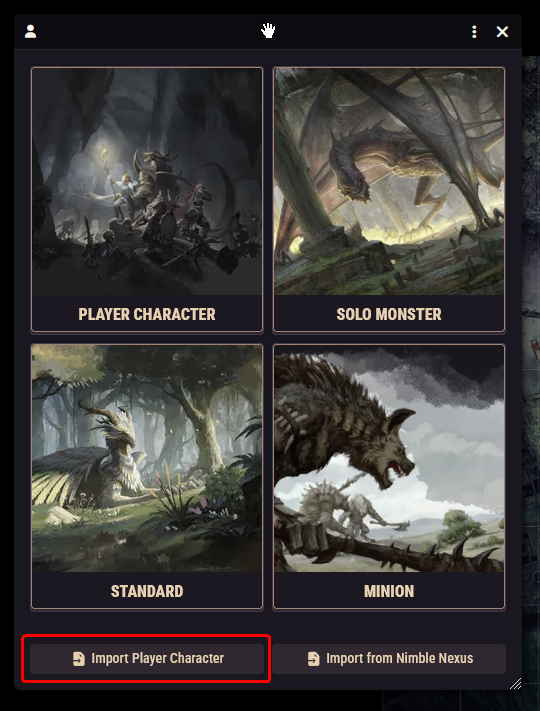
Press Import Character and the character is created as a brand-new actor, owned by you, with its sheet opened.
A few guardrails to be aware of:
- Only player character exports are accepted. Monster and NPC files are rejected with a clear message.
- Only exports from the Nimble system are accepted. A character exported from a different game system won't import.
- The import always creates a new actor. It never overwrites an existing character, so importing twice gives you two copies.
Exporting a character sheet (PDF)
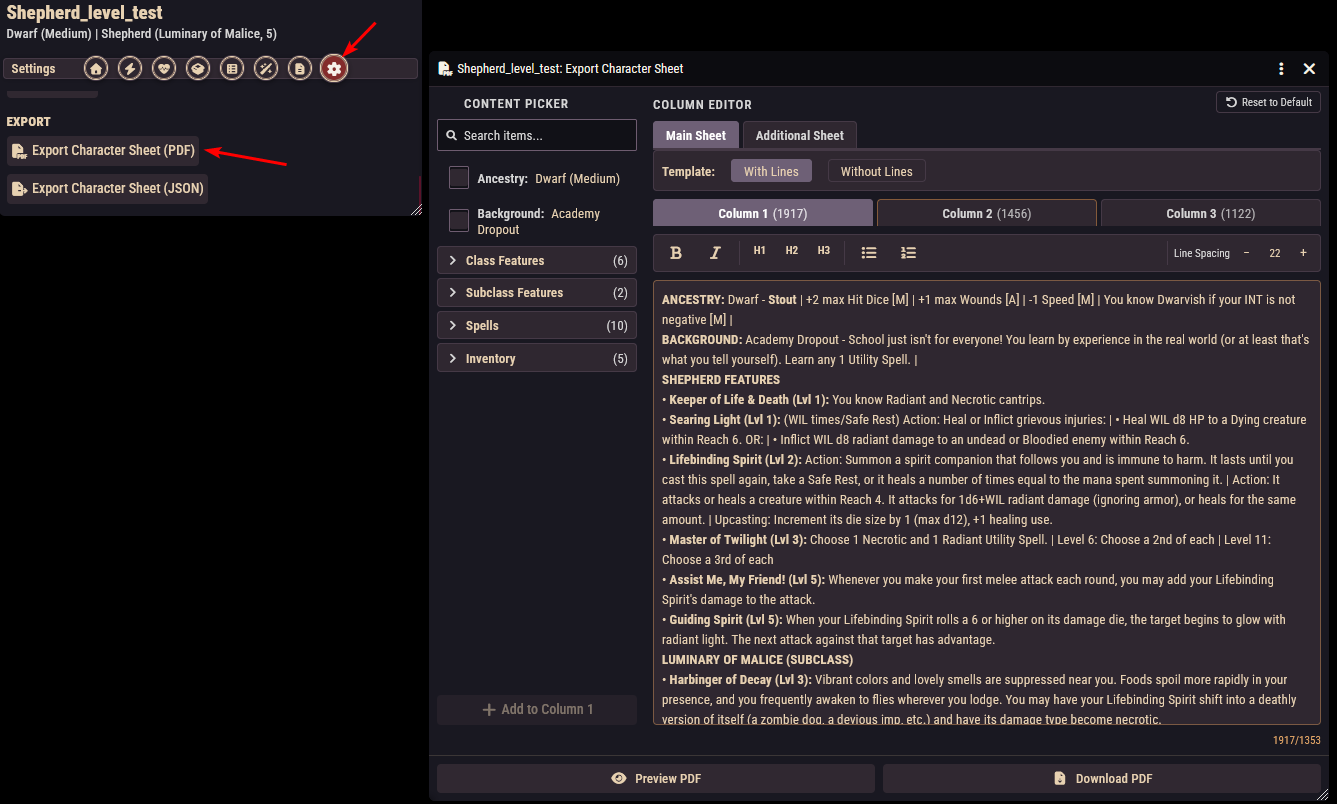
Next to the JSON button on the same Settings tab is Export Character Sheet (PDF). This produces a printable, letter-size PDF drawn on the official Nimble character sheet: the character's name, ancestry, class and level, ability scores, saves, skills, hit points, hit dice, armor, initiative, and wounds are all filled in for you.
The dialog gives you control over the free-text area of the sheet:
- The Content Picker lists the character's features, spells, and inventory; tick what you want on the printout.
- The Column Editor lets you arrange that content across the sheet's three columns, edit the text freely, and tighten the line spacing per column if space gets short.
- An additional page with three more columns is added automatically when you put content on it.
- Choose between the lined and no-lines versions of the sheet, and use the preview to check the layout before you press Download PDF.
TIP
The picker and editor start pre-filled with a sensible selection of the character's content, so for most characters "open, glance, download" is the whole workflow.
Importing monsters from Nimble Nexus
Click Create Actor and choose Import from Nimble Nexus (this button is GM-only). The window searches the monster library on nimble.nexus. Browse, search by name, or filter by level, monster type, and role. Tick the monsters you want (or select all), optionally choose an actor folder or have a new one created, and import them in one batch.
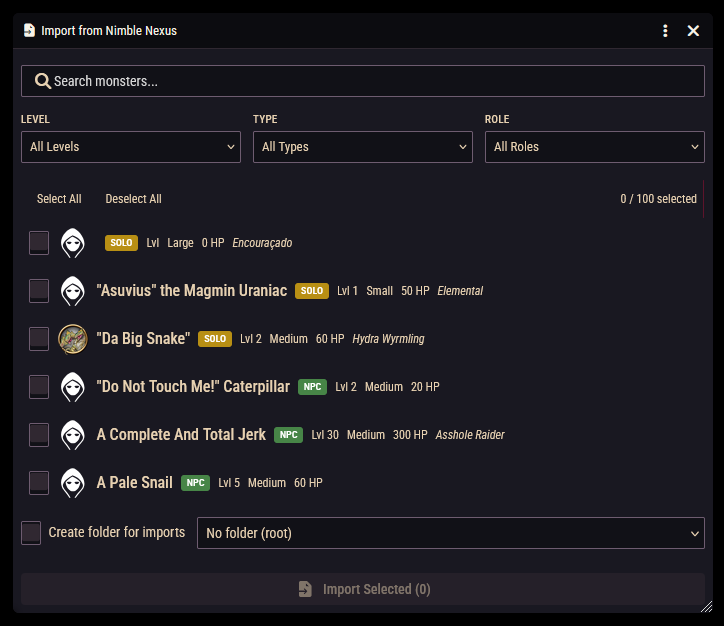
Each monster arrives as the right actor type automatically (legendary monsters become solo monsters, minions become minions, everything else becomes an NPC), with hit points, armor, movement, saves, size, a portrait, and a hostile token already configured. Abilities and actions are converted into monster features, including attack sequences and the Bloodied and Last Stand phases of legendary monsters.
Imports are a strong starting point, not always a finished monster
The converter reads the stat block's action text to build rollable attacks, including reach, range, and cone/line/area templates. It's good, but it's parsing prose, so know its limits:
- Complex actions may import with just their damage roll, leaving any extra riders as description text for you to adjudicate or rebuild in the Rules Builder.
- Damage resistances, vulnerabilities, and immunities are not imported. Add them on the sheet if the monster has any.
- Saves import as advantage/disadvantage tendencies rather than exact numbers.
- Portrait images load from the Nexus servers, but the same image may fail to display on the canvas token due to image-hosting restrictions on their side. If a token renders blank, save the image locally and point the token at it.
Give each import a 30-second once-over before it hits the table.
This importer needs an internet connection at the moment you use it; once imported, the monsters are ordinary actors in your world.