Core Concepts
Almost everything in the Nimble system comes down to two kinds of thing: things that live in your world (characters and creatures) and things you drag onto them (classes, spells, equipment, and so on). Once that clicks, every sheet and pack in the system makes sense.
Things that live in your world
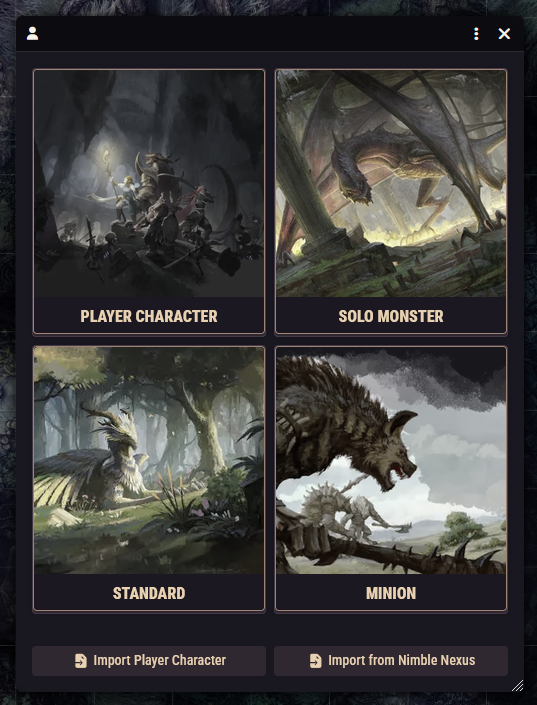
These appear in the Actors sidebar tab and can be placed on the map as tokens. There are four kinds:
| Kind | Use it for |
|---|---|
| Character | Player heroes. The full sheet, with the works: ancestry, background, class, leveling, inventory, spells, mana, and hit dice. |
| NPC | The GM's standard creatures, meaning most monsters and NPCs. A lean stat-block-style sheet built for running fights, not for leveling. |
| Minion | Weak creatures fielded in numbers. Like NPCs, but built for swarms: the system can group minions together in combat and roll their attacks as a group. |
| Solo Monster | Boss-type creatures designed to fight a whole party alone, such as the legendary monsters. |
Everything in the Nimble Monsters pack is an NPC or a minion; everything in Nimble Legendary Monsters is a solo monster.
Things you drag onto them
Everything else is an item, and in this system "item" means much more than physical gear. All of these are items you drag from a compendium (or the Items sidebar) onto a sheet:
- Class and Subclass
- Ancestry and Background
- Boon
- Feature (character abilities) and Monster Feature (creature abilities)
- Spell
- Physical items, the gear in your inventory
A class is not a menu you pick from. It's a thing you drag onto your character. Drop a class onto a character sheet and the sheet fills itself in: hit dice, saving throw tendencies, armor and weapon proficiencies, mana. As you level up, the class delivers its features to your sheet automatically, with the level-up window walking you through any choices. Ancestries, backgrounds, subclasses, and boons work the same way: drag them on, and what they provide arrives with them.
You usually won't drag these by hand
The character creator and level-up windows do the dragging for you. Knowing that it all works by drag-and-drop mostly matters when you homebrew or want to adjust a character manually.
The five kinds of physical item
Physical items (the system calls them "objects" in a few places) come in five flavors:
- Weapon: anything you attack with.
- Armor: what you wear.
- Shield: what you carry in your off hand.
- Consumable: potions, scrolls, and anything else that gets used up.
- Miscellaneous: everything else, such as rope, rations, trinkets, and loot.
The kind determines which fields the item sheet shows and how the item behaves in your inventory.
Compendiums: the content library
The compendium packs are the system's read-only content library. Open a pack from the Compendium Packs sidebar tab to browse it, and drag anything out: onto a sheet, into the sidebar, or onto the map (for monsters).
Copy to your world before editing
Pack content is replaced whenever the system updates, so edits made inside a pack don't last. The habit to build: drag the thing into your world first (it becomes an independent copy), then edit the copy. Your world's copies are yours forever.
Items carry rules
Here's the idea that makes the whole system tick: an item can carry rules, small instructions that change the character carrying it. A cloak can raise your armor, a feature can add to your speed, a weapon can apply a condition when it hits, a class feature can set up a pool of dice for you to spend. When the item lands on a sheet, its rules take effect; remove the item and they're gone. Every class feature, boon, and magic item in the packs works this way, and you can write your own rules point-and-click with the Rules Builder.